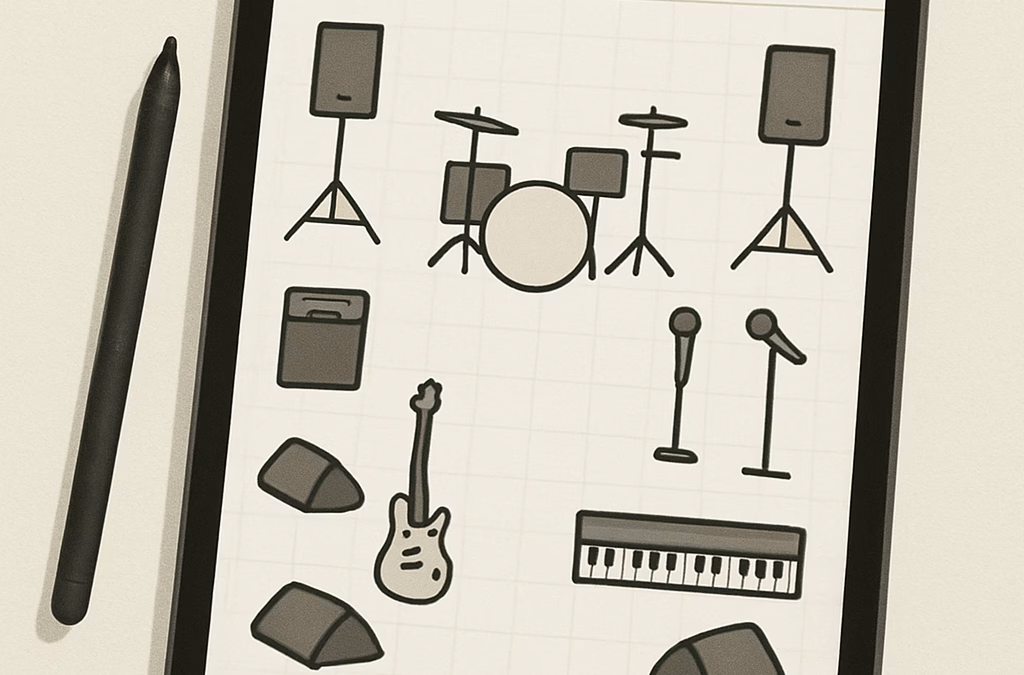
You know that headache you get when you’re preparing for a concert or show? That moment when you wonder how to organize all the elements on stage without it becoming a complete mess. Managing the configuration of instruments, the placement of microphones, the location of technicians… it’s far from easy, especially when you’re pressed for time.
And yet it’s crucial. A good stage plan can really save the day. It prevents mess-ups, makes life easier for the technicians and makes the show run more smoothly. But how do you do this simply, without spending hours drawing on paper or juggling complicated software?
Well, that’s where a free stage plot maker comes in. You guessed it, it’s an online tool that lets you create a clear, precise stage plot without spending a dime. You don’t need to be a graphic designer or tech expert, just drag and drop elements where you like, adjust and share. Practical, isn’t it?
Just imagine all the complications that can be avoided: no more endless e-mail exchanges to explain who’s playing where, no more misunderstandings with the lighting team or sound engineers. And best of all, you can test several configurations at the click of a button. It’s like having a stage architect in your pocket.
But how do you choose the right one from all those free options? You know, the ones that promise all the bells and whistles but end up blocking you or giving you a hard time? The good news is that there are tools designed for show business professionals, who really understand the constraints in the field.
Would you like to discover a quick and easy way to simplify your preparations? And above all, take advantage of a platform that accompanies technicians and venue managers from start to finish? Let’s dive in together. But first, let me show you why a free stage plot maker is more than just a scribble on your screen.
What’s more, if you’re looking to go even further in technical preparation, LightStagePlot offers an interactive solution that will really boost your stage management. It’s a useful tool to try out, especially if you want to avoid unpleasant surprises!
TL;DR
Are you looking for a free stage plot maker that really makes your life easier? It’s the tool you need to design your stage without headaches, optimize your setup with a single click, and avoid the hassle of dealing with the technical team.
Basically, no more pointless plans, just clarity, efficiency and precious prep time.
1. StagePlot Guru: simplicity and advanced features
You know that moment when you have to prepare a stage plan, but you get lost between the props, microphones and positions of each musician? Or worse, you’re tangled up in complicated software that wastes more time than it saves? That’s exactly where StagePlot Guru comes in.
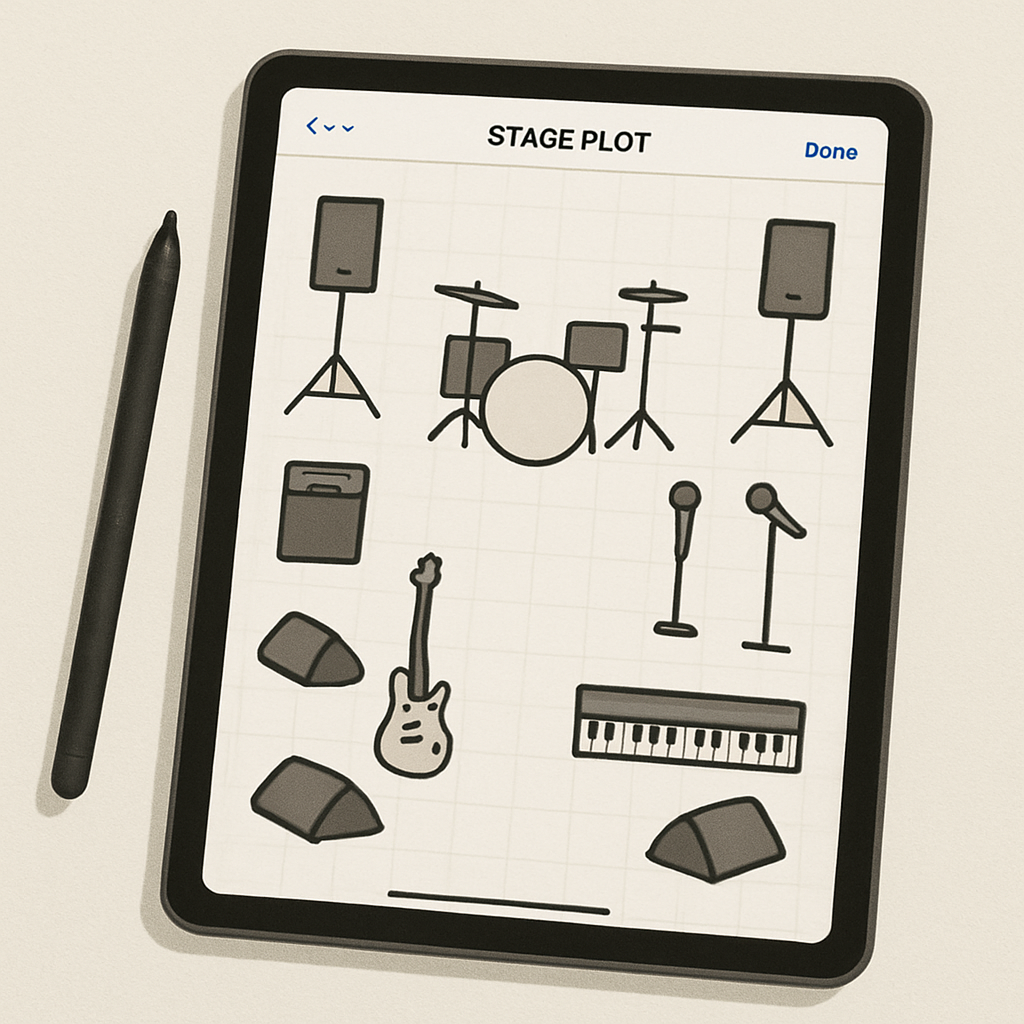
This application for iPhone and iPad is an invaluable help when you’re looking for a free stage plot maker that doesn’t sacrifice simplicity or power.
Why do we love the simplicity of StagePlot Guru?
Frankly, it’s the interface we all hope to see in our everyday tools. Clear, intuitive, with an edit bar that folds down when you need to maximize your workspace. No unnecessary frills, just enough to work serenely without struggling to understand how to rotate an accessory or move an amp.
That’s a real plus, especially when you’re managing several projects and want to be able to switch from one plan to another without losing track. There’s also unlimited storage, so you don’t have to chase after your files because you’ve exceeded your quota.
Ultra-complete functionality without overloading
But make no mistake, simplicity doesn’t mean simplistic. On the contrary, StagePlot Guru features over 250 industry-standard accessories to ensure that your shot is truly true to life on stage. You can add instruments, audio elements, platforms, even lighting details (among others).
Each element is editable: you can resize it, rotate it, and customize its name to match your setup. Add your logo or the stage manager’s info? It’s as easy as 1-2-3.
And the list function is a gem. You choose your accessories, and the app automatically creates lists of equipment, entries and notes that are clearly displayed on your final plan. No more forgotten items or items split between several files.
A tool designed for sharing and collaboration
We rarely work alone, especially in the event industry. StagePlot Guru understands this and lets you send your plans easily via AirDrop or e-mail, as PDFs or in the app. You can manage your account on multiple devices, which means the whole team can access the same up-to-date plan, wherever they are.
And if you ever get stuck on a problem, customer support is there for life. Yes, for life. No need to pay a subscription fee for a customer service department that lets you down after three months.
Can you already see the benefits in terms of organization and avoiding problems on the big day?
In conclusion, why try StagePlot Guru?
- Clear interface to avoid frustration.
- Accessories galore to match your reality.
- Easy to manage and share, for headache-free teamwork.
- Dedicated customer support and one price, no recurring subscription.
So, are you ready to try out a free stage plot maker that doesn’t require you to spend a PhD in computer science to design your stage? Take a look at the StagePlot Guru app available on the App Store and see for yourself if it can help you better organize your concert plans.
Need an alternative or user reviews? You can also read feedback on the tool on this detailed App Store page. If you dig a little deeper, you’ll find that many praise the flexibility offered, even if some regret the impossibility of using Android or zooming in for greater precision.
So who hasn’t dreamed of a tool that gives you the freedom to create, save and share a professional stage plan, without breaking the bank? With StagePlot Guru, that dream has come true.
2. Planning Pod: a complete tool for event coordination
How about that time when you spend more time managing spreadsheets, emails and calls than actually attending to the event? Planning Pod is the magic wand that makes your life easier, especially if you’re managing concerts or events where every detail counts.
So why does Planning Pod really stand out?
An all-in-one tool that leaves nothing to chance
Do you want a system where you can do everything without switching between ten apps? That’s exactly what Planning Pod offers. Reservation management, customer follow-up, operations organization, project management… everything is centralized. Quite frankly, it saves you a lot of headaches, especially when you’re running around all over the place.
Imagine being able to import a proposal template, adjust the details in a few clicks and send it to your customer in just 10 minutes. No more tinkering with multiple files.
Automation and time savings: the icing on the cake
And it’s not just marketing hype. Many users share that they’ve gained 16 to 20 hours a week by switching to Planning Pod. Isn’t that impressive? By automating repetitive tasks, you can finally take a breather and concentrate on what really matters: making your event unforgettable.
Perhaps you’re wondering if it’s complicated to get to grips with? Not at all. Planning Pod has opted for an intuitive interface, not time-consuming menus. They even offer training and responsive support to get you up and running right from the start.
A platform that adapts to your growth
Whether you’re just starting out with a small group or you’re already managing a large venue, Planning Pod adapts. No need to change tools as you grow. No more stress about finding software that fits every stage of your business.
It’s a bit like having an assistant always ready to follow your pace, whether you’re in relaxation mode or intense speed before the show.
Focus on team coordination and communication
You know how important communication is. Planning Pod facilitates teamwork by giving everyone involved access to important information in the same place. No more scattered exchanges across multiple platforms.
This avoids misunderstandings and keeps the essentials clear and accessible to all.
Want to see Planning Pod in action? Here’s a video demo that shows you how this solution can change your event management :
So, is Planning Pod the perfect tool? Maybe not for everyone, but it combines enough assets to be a real ally in the coordination of complex and dynamic events.
To find out more, you can visit their official website, where they explain how their solution helps over 70,000 venues and organizations avoid paperwork and increase efficiency: Planning Pod, the complete event management tool.
If you’re more interested in understanding how to modernize coordination on a practical day-to-day basis, you’ll find some interesting insights on their features page. A real dive into a world where simplicity rhymes with power.
So, what do you think? Ready to get your schedule in order with a tool designed just for you, leaving you the time and energy to rock your stage?
3. Onstage: online software for everyone
You know, managing a stage plan is often what can quickly become a nightmare for technicians and venue managers. Between lost paper versions, poorly legible drawings and hundreds of back-and-forth e-mails, coordination can quickly fall apart.
Fortunately, there’s a solution available to everyone: Onstage, an online software program designed to easily create your stage plan, without any headaches. It’s a breath of fresh air for the whole team.
Why choose online software like Onstage?
Firstly, it’s simple. You don’t need to install a cumbersome program or have a degree in technical drawing. With Onstage, you just open your browser, log in, and you can be drawing your plan in minutes.
You can move instruments, mics, returns, amps… Everything is intuitive, like a digital Lego game. It’s a welcome change from the frozen plans you have to redo every time you change the line-up.
Time-saving accessibility
Onstage is also about immediate sharing. Changing your plan? Everyone sees it in real time. No need to e-mail a new version and worry that someone else is working on an old copy.
Imagine the scene: a sound engineer is on site, in doubt about the height of a microphone or the position of a loudspeaker. He looks at the updated plan directly on his smartphone or tablet. Bingo, everyone stays on the same wavelength.
A few tips to make the most of your online free-stage plot maker
- Before you start, define the key zones of your stage: drum space, return zones, soloist spots… This will save you time later.
- Take advantage of pre-existing templates. Onstage sometimes offers templates, a real time-saver when you’re juggling several events.
- Don’t hesitate to add annotations to specify technical settings, even the smallest details make all the difference for technicians.
Wondering if that’s enough for your project? To fully appreciate the power of a tool like Onstage, you need to see how much less technical management is required when your team has easy access to all the information, in one place.
If you’re interested, take a look at what the official platform has to offer, with detailed features that really make the job easier in the field(details on stage lighting management). And for a real dive into the online tools that improve live coordination, here’s also a good feedback that may enlighten you(shared by a community of stage technicians).
So, are you ready to say goodbye to last-minute stress? With an accessible free stage plot maker like Onstage, you make technique fluid and easy to follow, and that changes everything. Whether you’re managing a concert, a show or a rehearsal, it’s your ally in making every detail count, without wasting time.
4. Detailed comparison of the 6 best free stage plot makers
Okay, now we’re getting down to the nitty-gritty: how do you find your way around all these free stage plot makers promising you the best? Honestly, it’s a bit like choosing the right pair of shoes for a marathon: they have to hold up, be comfortable and, above all, go the distance.
So, I’ve reviewed six free tools that set the standard for zero euros, but not for zero limits. Let’s take a look at what they’ve got up their sleeves, so you can get a clearer picture before you take the plunge.
1. Onstage – time-saving simplicity
If you’re looking for a highly accessible free-stage plot maker, Onstage is often the choice of producers and technicians. The interface is clear, almost minimalist, and benefits from pre-established templates. You can easily customize your plans and add the necessary annotations for the technical team, thus avoiding confusion in the field.
The little extra? Real-time collaboration, which limits the need to go back and forth and send endless e-mails. On the other hand, if you need ultra-advanced functionalities, you might find it a little lightweight.
2. Sweet Stage Plot Creator – the successful marriage of 2D and 3D
This software offers great flexibility, with an interface that suits beginners and pros alike. Sweet Stage Plot Creator lets you visualize your plan in 2D, then switch to 3D for a better understanding of the scenic space. This double view is invaluable when you want to avoid unpleasant surprises when the equipment starts to set up.
You can import elements, move objects with the mouse, and even manage a library of common equipment. The only drawback is that it can take a little getting used to, especially if you’re not comfortable with 3D tools.
3. QCAD Stage Planner – for those who love technical precision
QCAD is a 2D open-source solution that will appeal to those who really want to get into the details. You can draw walls, place a whole host of scenic elements, and export in formats that most CAD programs accept.
Ergonomically, it’s a little old school, but functional. Perfect if you’re a Cartesian and want to keep a close eye on every little detail. Our only regret is that it’s a little less geared towards live collaboration.
4. Archiplot – for fast, no-fuss work
If immediate efficiency is your priority, Archiplot offers you an intuitive drag-and-drop system. It’s easy to create your own 2D layout, with the option of adding doors, windows and, above all, stage elements such as microphones or amplifiers.
The downside is that there aren’t many advanced options yet. For a quick rehearsal or a small concert, it’s perfect, but for a big production, it can quickly show its limits.
5. LibrePlot – a well-thought-out free alternative
LibrePlot stands out for its active community and unexpectedly rich functionality for a free-stage plot maker. It features a complete layer system, multiple annotations and several export formats. However, the interface takes a little getting used to, and you’ll need to enjoy poking around in the tools.
That said, you’ll find it an ideal compromise between power and free access, especially if you’re prepared to invest a little time in discovery.
6. FloorPlan live – mobility first
Isn’t it tempting to have a mobile app that does the job on the move? FloorPlan live lets you create fairly simple shots directly on your smartphone or tablet. The advantage here is that you can scan the scene on the fly and quickly generate a clean shot without taking out your computer.
But beware: it’s especially useful for small configurations; as soon as things get a little technically heavy, the tool shows its limitations.
So which one should you choose for your project?
In the end, it’s not so much the software that counts, but what you want to do with it. Are you looking for simplicity, mobility, technical precision, or good teamwork?
In any case, take the time to try out these free-stage plot makers. Don’t underestimate the work comfort that a good tool brings. And if you want to see how all this can be integrated into a complete platform that facilitates technical management, LightStagePlot could be a great addition to try out.
| Option | Highlights | Limits | Ideal for |
|---|---|---|---|
| Onstage | Simple interface, real-time collaboration, ready-to-use templates | Limited advanced features | Teams looking for speed & simplicity |
| Sweet Stage Plot Creator | 2D/3D visualization, equipment library | Slightly long learning curve | Groups requiring in-depth visual rendering |
| QCAD Stage Planner | Technical precision, open source | Interface a little outdated, not very collaborative | Highly skilled technicians, CAD-savvy users |
| Archiplot | Quick to learn, drag-and-drop | Missing advanced features | Small events, express repeats |
| LibrePlot | Rich, free features, active community | Less intuitive interface, need to get to grips with it | Users waiting for a versatile tool |
| FloorPlan live | Mobility, speed on smartphone/tablet | Limited tools for large set-ups | Mobile projects, small scenes |
If you want to dig even deeper, you should know that the world of digital stage tools is evolving rapidly, and technology is constantly making technicians’ work easier. For example, 3D modeling has proved its worth in other fields, such as architecture(source of inspiration), so why not for you too?
Have you ever wondered how certain events seem to flow so smoothly, when you can only imagine the complexity behind them? It’s often thanks to a good management tool and clear, accessible plans.
Before you wrap up, to make sure you don’t miss out on the latest news and cutting-edge solutions in this field, taking a look at the latest on technological innovations may surprise and inspire you.

5. Tips for using a free stage plot maker
You know that moment when you have to prepare a scene, and all that technical chaos seems to want to swallow you up? Free stage plot makers are there to get you out of that infernal circle. But using a tool, even a free one, isn’t always enough. You just have to put a little bit of yourself into it.
So, what are the real pitfalls to avoid and the tips to adopt to get the most out of a free stage plot maker? Here are five tips that are sure to save the day.
1. Be precise and exhaustive from the outset
Okay, it’s tempting to make a quick sketch to send to the technician for his stage plan. But trust me, the clearer and more complete you are, the fewer surprises you’ll have on the big day. Mention every musician, every instrument, every microphone, even the little quirks you carry around with you (like your keyboard set at 45°, or your favorite boom mic).
Why is that? Technicians love to have all the information upstream. That way, they know if they need to provide what equipment, how many cables or returns. Don’t close the door on their work. Don’t forget to indicate any specific requirements, such as an inear return or a DI box for your laptop(a very clear article on how to detail a stage plot).
2. Maintain clarity, not graphic sophistication
Your free stage plot maker doesn’t have to turn you into a graphic designer. Forget about super-stylish drawings that take 3 hours to make. The most important thing is to make everything legible and understandable at a glance, even for someone who doesn’t know you.
And I swear, it’s always better than a beautiful, poorly calibrated image that confuses more than anything else. Sometimes, a well-annotated napkin sketch is enough. The aim is to be of service to those who work behind the console, not to win art prizes.
3. Review and validate with your team
Don’t tell yourself that once the plan is done, it’s done. Pass it on to your band members or technical team to check that everything’s right. Maybe the drummer has a special amp or the singer has changed mics – it’s in these details that you can avoid problems.
It’s also a good idea to keep a digital version that can be easily modified. You can send it off, modify it without having to redo the whole thing, and manage the latest changes without stress.
4. Don’t forget to add your name and contact details
Sounds silly, but it’s the basics. Print out or export your plan with your name, your band’s name and a way to contact you quickly. At a festival with several bands in succession, it saves you the trouble of finding out who’s who, or wasting time if someone has an urgent question.
5. Test your plan in real life
Before the concert, if you can, print out your stage plot and do a visual test with your team, at the planned location on stage. This is where you can see if the sequence makes sense, if there’s enough space, or if the technician will have to redo the plan at the last minute (guaranteed stress!).
Finally, using a free stage plot maker is like writing a simple but well thought-out recipe. You can’t go wrong with the dish if you follow the steps, can you?
If you want a more comprehensive guide to fine-tuning your set-up, you’ll find plenty of practical recommendations with detailed examples that will save you time, like this tutorial on preparing a training plot or advice on choosing the best seats and configurations at the Stade de France to optimize your visibility and comfort.
Come on, next time you’ll optimize your pre-prep stage without stress, with a free stage plot maker that really makes life easier. And believe me, it changes everything.
6. Free and open source alternatives to consider
You know that moment when you’re looking for a reliable tool for your plot internship, but you want to avoid paying subscriptions or software that’s too rigid? It’s completely legitimate. Sometimes, open source or free solutions are nuggets, even if they take a little getting used to.
So, which options are really worth it? Here are a few free or open source alternatives that might just save the day, especially if you’re looking for a no-fuss free stage plot maker.
1. Blender, the 3D Swiss Army Knife (and not just for film)
Ever heard of Blender? It’s an ultra-complete freeware that’s not just for making 3D images or animations. It can be used to model your stage in 3D with hyper-precise rendering. Imagine being able to turn around your virtual stage, see where your cables go, test several configurations without moving a piece of furniture.
It’s not necessarily the most intuitive tool to start with, and I won’t hide the fact that it takes a little time to master its features. But frankly, Blender is powerful and totally free. Its community is huge, and you’ll find tons of tutorials to help you create your scene plan. The more you get into it, the easier it becomes.
If you’d like to find out more about this flexible software, take a look at their official website, where they talk about the freedom they offer designers and their advanced features.
2. QElectroTech: because technology is also free
It’s not easy to find a free software package that can handle technical schematics, but QElectroTech is clearly one of the best. You can draw detailed plans including audio equipment, microphone positions and inputs/outputs. Perfect for clarifying configuration with your technical team.
It’s still a little more “square” and schematic-oriented than 3D, but it’s ultra-precise, and you can export your plots easily as PDFs. Very useful when you need to share with technicians without them having to rack their brains with complicated tools.
On their official website, they detail how to customize and use QElectroTech to the full for your technical needs.
3. Draw.io / diagrams.net: simplicity and accessibility
Sometimes you just want a simple tool, accessible online, with no installation required. Well, draw.io (or diagrams.net) is a great option. This free service lets you create basic diagrams: you place your elements, connect everything, easy modifications, no need to be an expert.
I’ve seen it used a lot for quick scene shots, mostly for troubleshooting or making a clear diagram to share in a hurry. Not as smart as Blender or QElectroTech, but it’s good for troubleshooting and it’s still free.
You can access all its features on their online platform, with no pressure.
And what about the free stage plot maker?
Specialized” free stage plot maker options that are completely free are still rare, often limited or with rather restrictive freemium versions. But mixing these open-source tools allows you to cobble together a real custom plot, adapted to your stage and your crew.
So, yes, it takes a bit of energy to get it all set up, but you don’t waste as much time chasing after expensive subscriptions or tools. And there’s the satisfaction of knowing you’ve got your hands dirty with solutions that really work for you.
In short, if you’re looking to avoid costs and paying guinea pigs, explore software like Blender or QElectroTech. And don’t forget, mastering the tool means increasing your freedom on stage – and that’s priceless.
Conclusion
So, once you’ve explored this somewhat makeshift but terribly useful world of the free stage plot maker, you realize that it’s not just a question of saving money. Above all, it’s an open door to greater autonomy and flexibility.
You know, juggling free tools can seem a bit of a headache at first, especially when you want everything to be perfect in no time. But it’s precisely in this tinkering that you gain mastery. You build a plan that fits your scene, your band, your style. Not a ready-made, fixed model.
And if you’re still hesitating, consider this: every time you spend time mastering a tool, you save hours of adjustments and stress on the big day. Which leaves you more time for what really matters, like setting the sound, creating the mood, or just enjoying the moment.
So, ready to get started with a free stage plot maker? Try it, test it, modify it, and above all, do it your way. Because managing your stage is a bit like telling a story. And nobody tells your scene better than you.
FAQ: frequently asked questions about free stage plot makers
You know, when you discover a new tool, a lot of questions pop into your head. The free stage plot maker is no exception. So, to make your adventure easier, here are the questions I’m most often asked, with clear, no-nonsense answers.
⁉️ What exactly is a free-stage plot maker?
Basically, it’s an online tool that lets you easily create a stage plan “by hand”, without paying a cent. You can place each musician, the gear, the returns, just as you like, so that everything is crystal-clear for the day of the concert.
🛠 Are these free tools really reliable?
Frankly, it depends. Some free stage plot makers are rudimentary, but others offer pretty solid options, especially for bands or technicians who just want a clear plan, without wasting hours. The idea is not to expect something as ultra-professional as paid software, but a tool that saves you time and reduces stress.
📱 Can I use these tools on my phone or tablet?
Yes, often. Most free stage plot makers are web apps, which means they can be accessed via a browser. It’s also great for quick editing when you’re on the road or at the venue. Keeping your plan with you is always a plus.
💡 How do I customize the shot to really fit my scene?
Feel free to play with placement options, instrument sizes, and add notes. Some tools even let you import your own images or logos. The secret is to experiment, moving elements around until they fit your space and your way of working.
🔄 Is it easy to modify or redo a plan?
Yes, most offer the option of saving your work online. So you can come back to it and make adjustments without having to start from scratch. Handy when the configuration changes, or if you need to quickly adapt for another gig.
🎯 Does it work for all types of events and training courses?
Not always. These free tools are often ideal for small bands, DJs or simple events. For big productions or complex stages, you could quickly reach their limits. But as a starting point, they’re a great way to lay a solid foundation.
🔧 What if I need help or technical advice?
Often, the community around these tools is super-responsive. Forums, tutorials and even YouTube are full of tips to guide you. And of course, you can rely on your own field experience to refine your plan – after all, nobody knows your scene like you do.
So, you see, the free stage plot maker is not a gadget, it’s a real helping hand. So go ahead, get started, tinker, and above all, keep in mind that the key is adaptability. No need to expect perfection, just a plan that works for your show.


