The Soundvision companion app for your crew: rigging plans in a single QR code.
A mobile Soundvision companion app for system engineers and their field crew. Import your Soundvision PDF export and send the essentials to roadies, riggers and assistants: no account, no on-site network, no hassle.
−35% · JTSE show price Pro version for €12.99 €19.99 one-time purchase
 Scan with your phoneand see the Olympia the way your crew sees it: systems, angles, hang points, exactly what the system engineer shares. No account, nothing to install.On a computer? Click here →
Available in 6 languages — Français · English · Deutsch · Español · Português · 简体中文
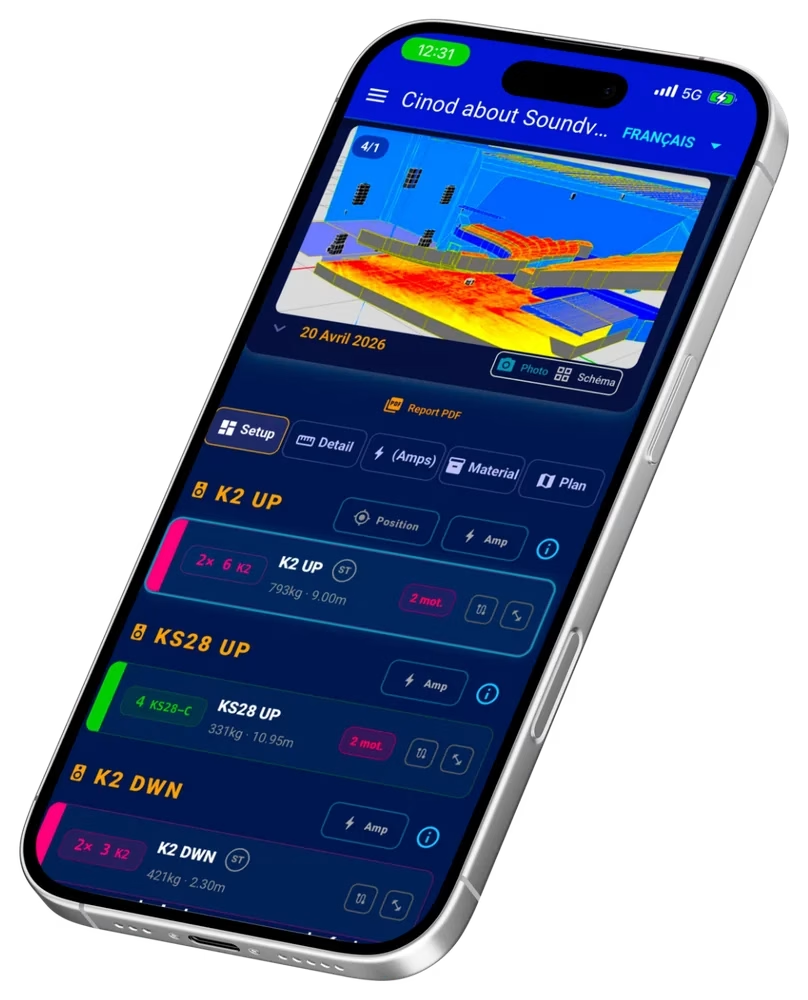
From PDF export to the field, in 3 steps.
The Soundvision companion app turns your engineering file into a field plan for the whole crew, with no technical detours.
Import your Soundvision PDF
Standard L-Acoustics Soundvision export. The app automatically parses the rigging data: motor points, splay angles, panflex, weights, trim heights.
Prepare your project
Add your amplifiers, IP addresses, notes and up to 8 photos per project. Work from your phone, tablet or web browser.
Share by QR code
Generate a dedicated QR code for each role: roadies, riggers, assistants. Your crew scans and gets the right information, with no account and nothing to install.
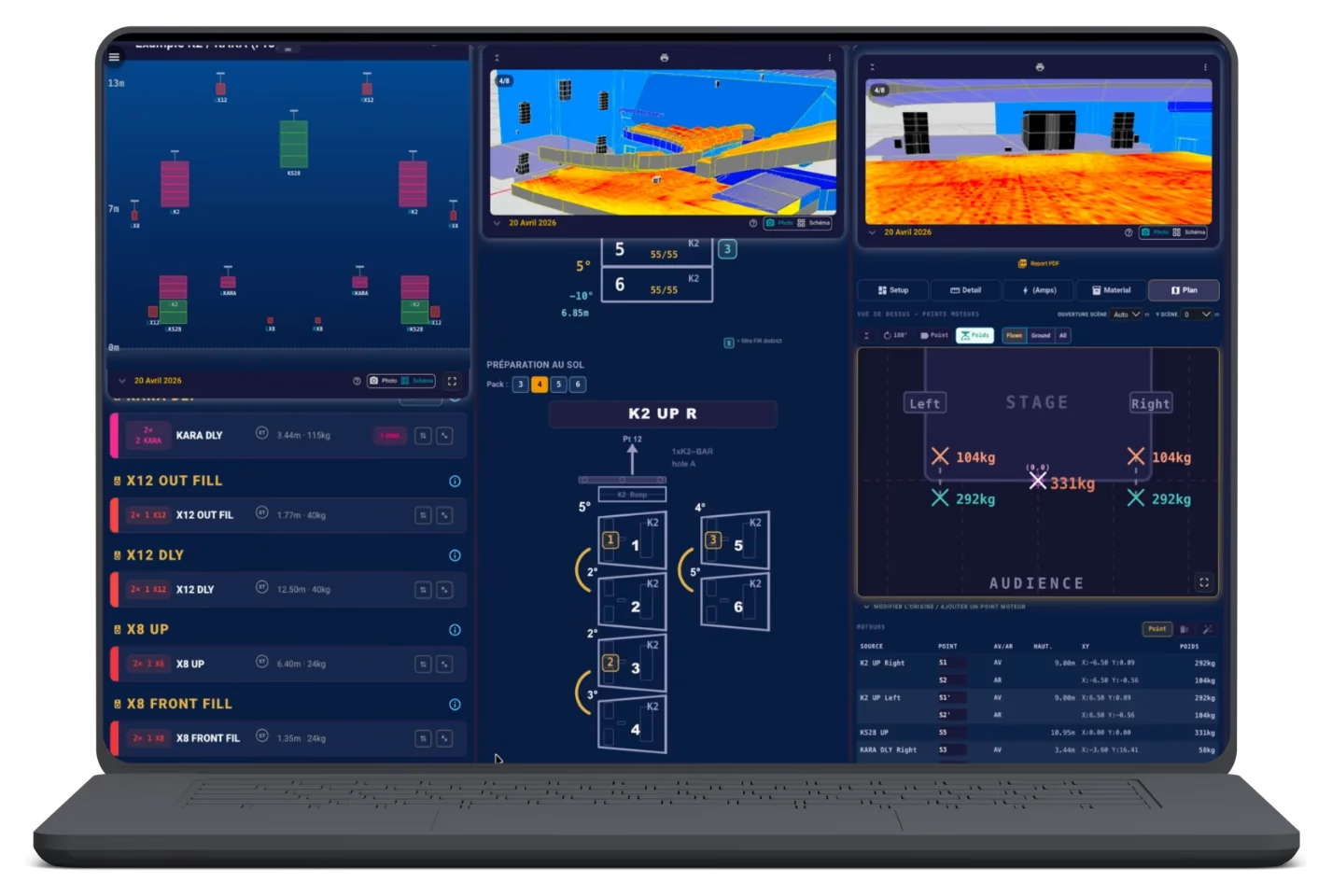
On a big screen, several views at once.
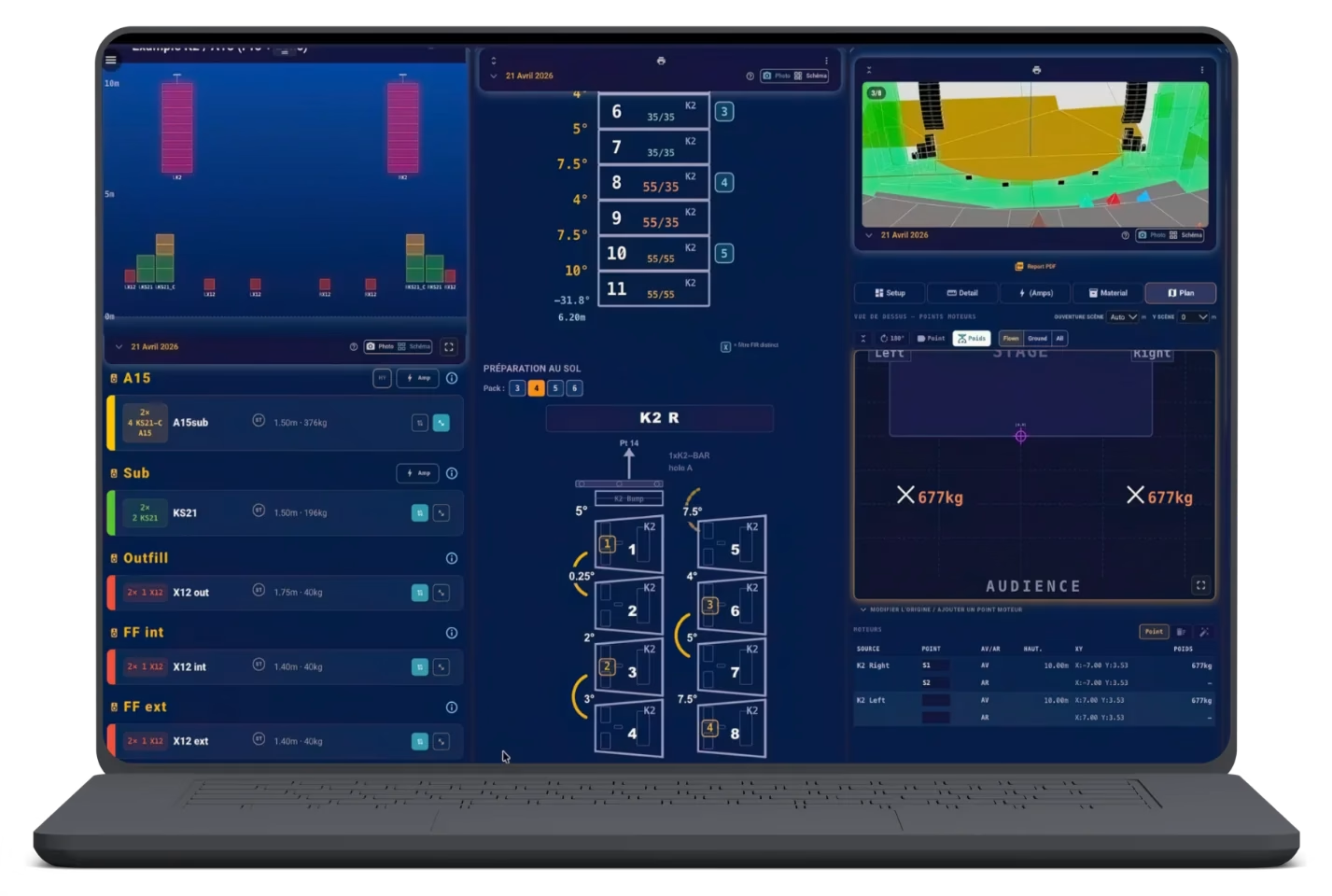
Prepare your project on PC or Mac: rigging, SPL map, hang points and system list are displayed side by side. You set things up, your crew sees the updates on their phones via the QR code.
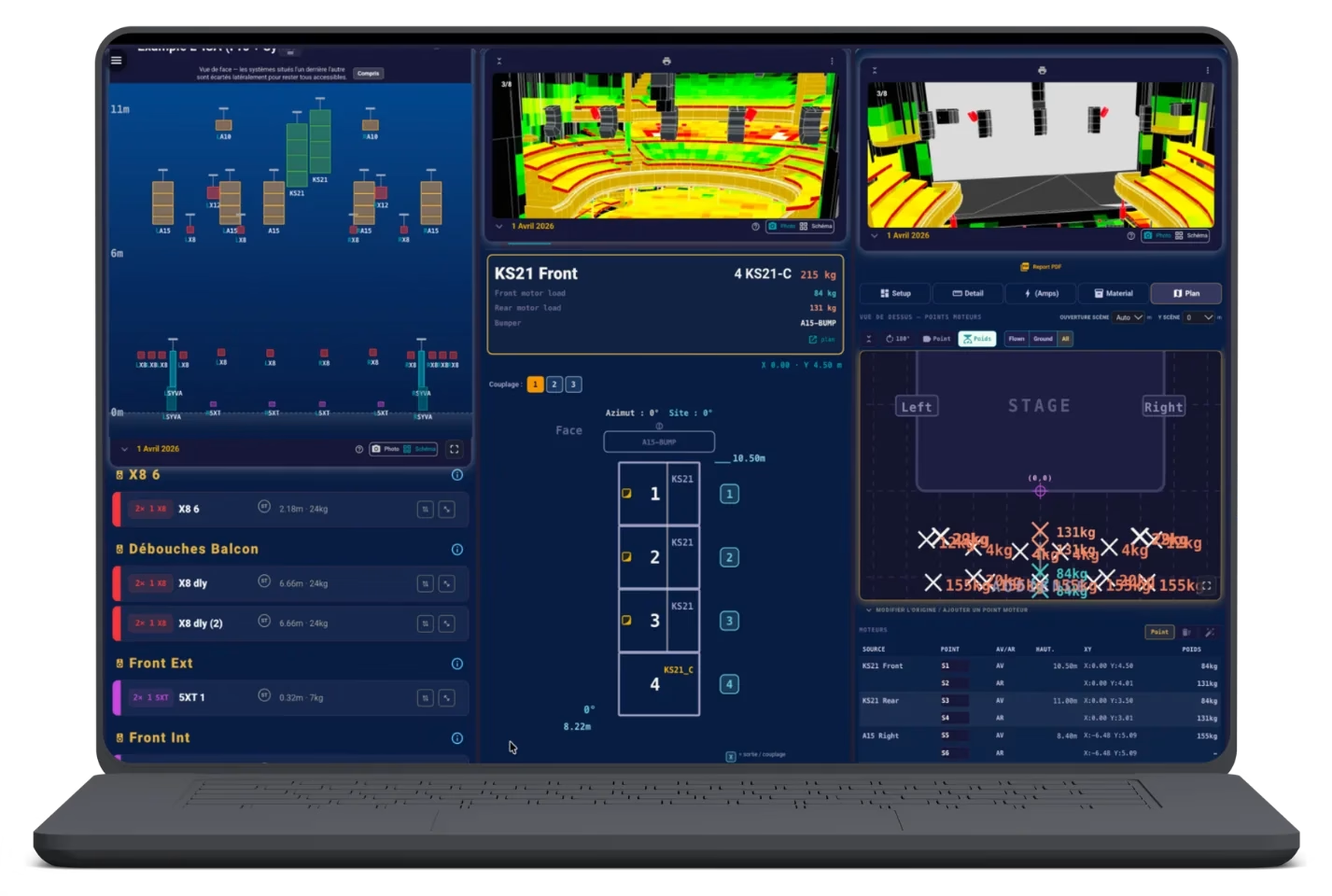
- Several report pages at the same time
- Work list adjusted in real time
- Free sharing with the crew by QR code
Three roles, three uses, one app.
Each crew member gets exactly what they need, nothing more, nothing less.
Roadies & Riggers
Free plan
- Direct access by scanning a QR code
- Angles, bumpers, heights, motor points
- Rigging plans and real-time tracking
- Nothing to install
Assistants & System Techs
Pro plan
- Local Soundvision PDF import
- Exclusive amplifier and IP address management
- Full access to project settings
- Pro Demo to try before you buy
System Engineers
Pro + Cloud plan
- Web preparation on PC, Mac or browser
- Notes + 8 photos per project
- Cloud sync mobile ⇄ desktop
- Sharing QR code generation
The Soundvision companion app in real-world conditions.
A video demo showing how the app fits into your workflow.
Cloud Sync Web ⇄ Mobile
Work in the browser, then find your project synced on your phone.
Three tiers for the Soundvision companion app.
Each crew member has exactly what they need, nothing more, nothing less.
Roadies & Riggers
€0nothing to install
- Direct access by scanning a QR code
- Angles, bumpers, heights, motor points
- Rigging plans and real-time tracking
- Opens the QR codes shared by the system engineer
- Works offline once opened
- No account, no personal data
Assistants & System Techs
−35% · JTSE show price€19.99€12.99one-time lifetime purchase, future updates included · App Store · Google Play
- Everything in the free version
- Import and view your own PDF reports: everything stays in the app, on your phone or tablet
- Amplifier & IP address management (Pro exclusive)
- A memo for your entire ecosystem
- Full access to settings & comments
- Pro Demo included to try before you buy
- No QR code sharing or multi-column web version: that is what Cloud-Sync is for
System Engineers
€12 / yearCloud-Sync subscription · 14-day free trial
Only as an add-on to the Pro version: buy Pro first, then add the subscription.
- Everything in Pro
- Web preparation (PC / Mac / browser)
- Notes + up to 8 photos per project
- Cloud sync mobile ⇄ desktop
- QR code generation for sharing
- Assign the work to roadies and riggers: they scan, then let their colleagues scan
- Change zones and priorities from your app, the crew sees it in real time
- Your projects kept in the cloud and shared across your devices
- No PC to restart on site
Purchases are made from the target device: to use the app on mobile, buy through the App Store or Google Play. No phone? You can buy through the web app — access stays synced across your devices.
All plans include the interface in 6 languages: French, English, German, Spanish, Portuguese, Simplified Chinese.
The Soundvision companion app in pictures.
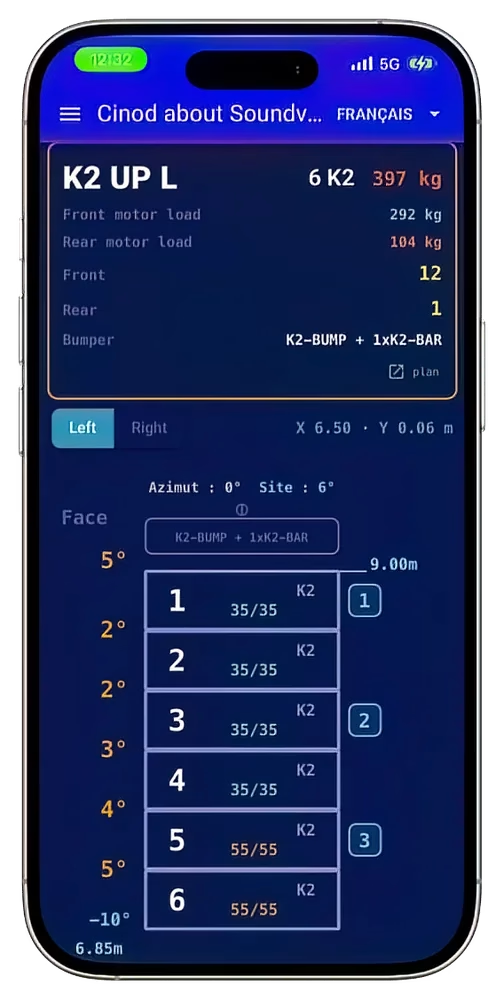
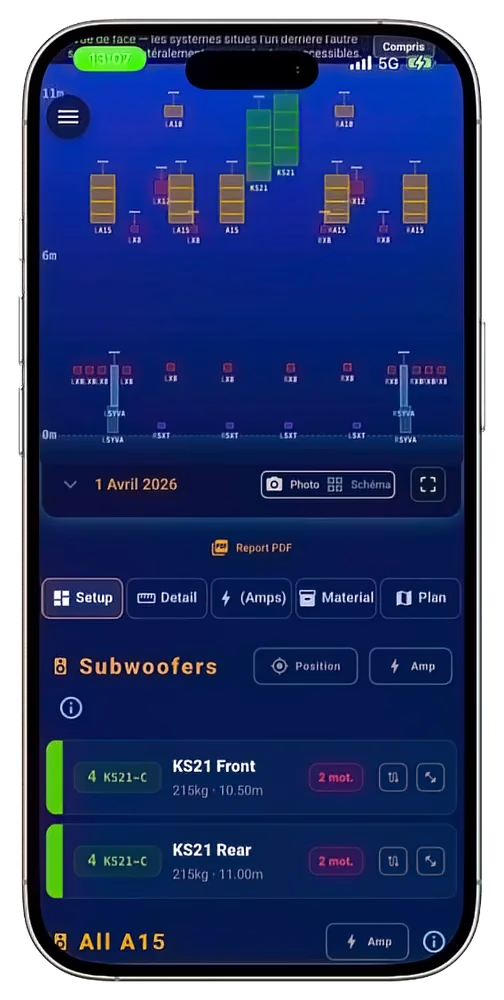
New 2026 interface, built for the field: clear, fast, readable in direct stage light.
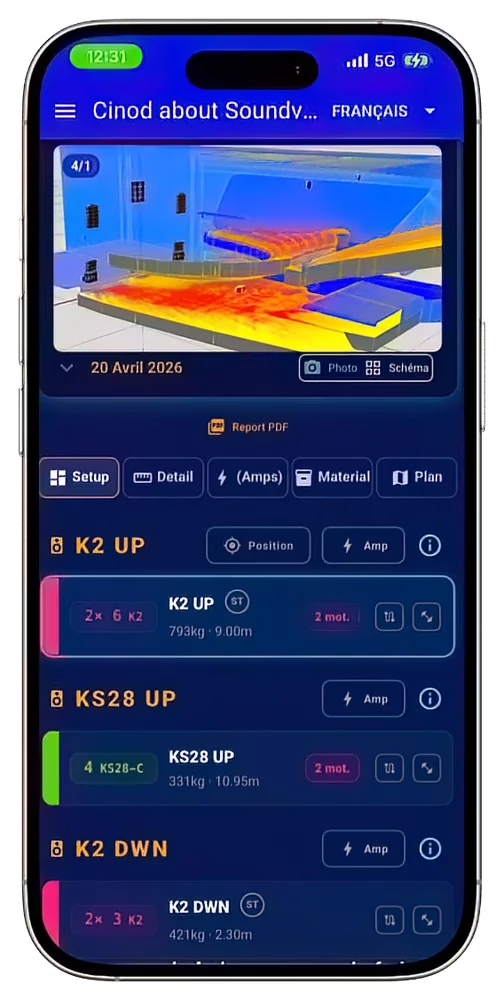
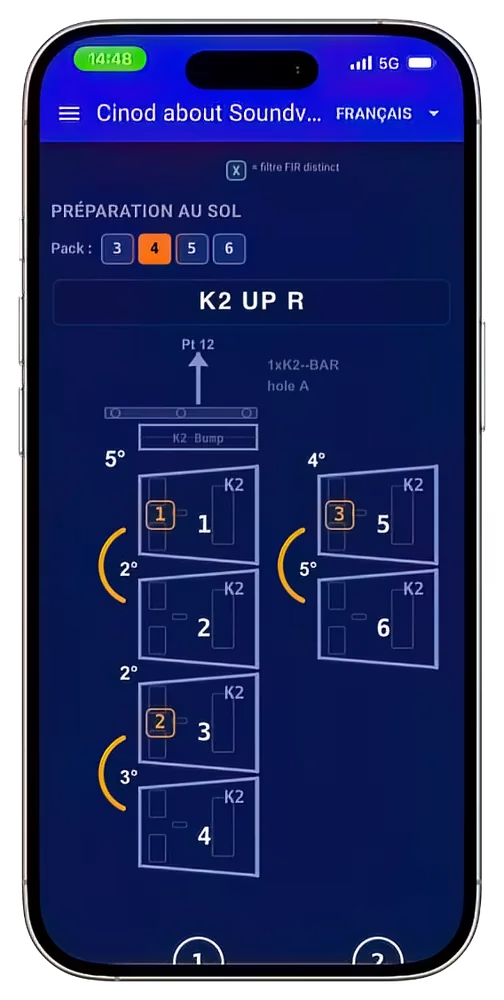
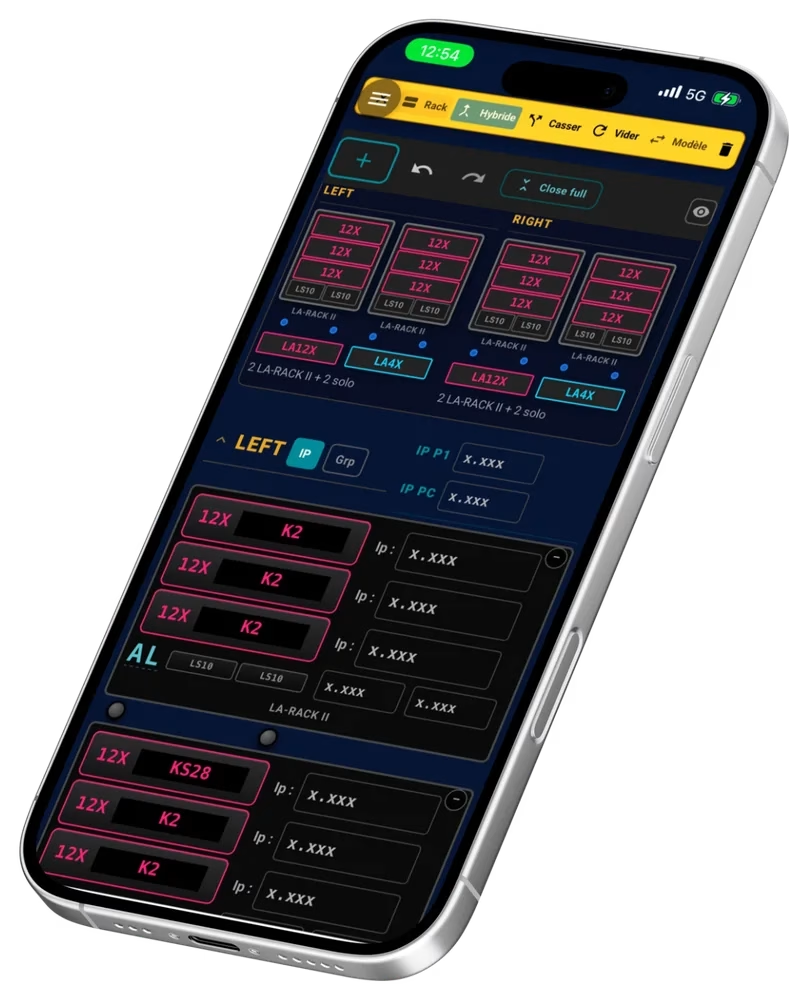
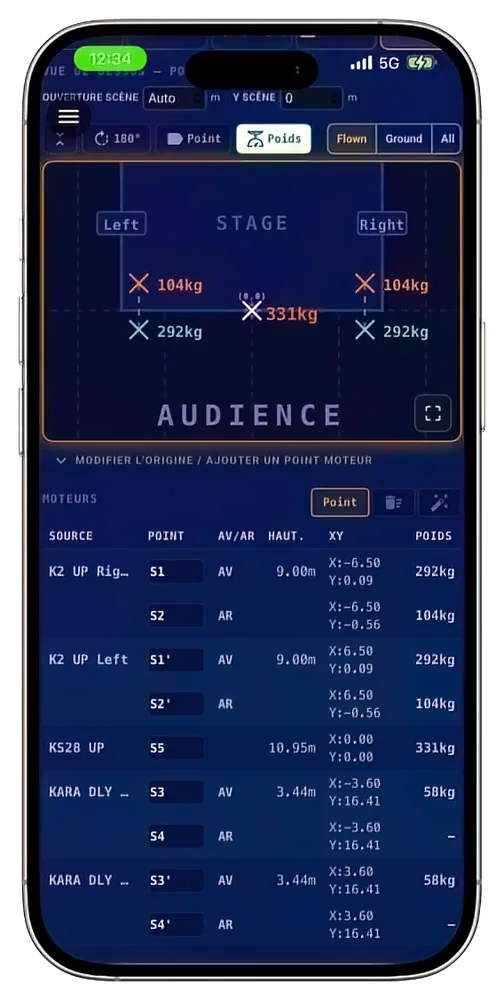
In short
Cinod about Soundvision turns the Soundvision PDF report into a work plan for the whole sound crew, on phone, tablet and computer. The system engineer imports the report, and the app automatically extracts angles, motor points, panflex, weights and heights. The engineer then shares this information by QR code: roadies and riggers scan it and instantly have it on their phones, with nothing to install or pay. The engineer decides what each person sees and in what order, to hand out the work on site.
The app is available on iOS, Android and as a web version, in 6 languages.
The problem on site
Today, the result of a Soundvision study stays on the system engineer’s computer or in a static PDF. On load-in day, roadies and riggers need a few precise figures, array by array: inter-cabinet angles, hang points, weights, heights.
- The engineer has to read them out, print them or send the PDF to everyone.
- The PDF goes round by email or WhatsApp, and the version received is not always the latest.
- On site, the network is often poor (underground venues, stadiums, festivals).
- Everyone hunts for their part in a document designed for the study, not for the load-in.
How it works, in 3 steps
- Export the report from Soundvision. Once the study is done, the engineer clicks the “Report” button in Soundvision and exports the file as a PDF.
- Import the PDF into the app. Tap “Import” and pick the PDF. The app reads the report and automatically organises all its information: every system, every array, its angles, motor points, panflex, weights and heights.
- Share by QR code. The engineer displays one QR code per role. Roadies and riggers scan it and open their information in their phone’s browser, with no account and nothing to install.
Nothing to retype: what is already in the Soundvision report shows up as is in the app.
QR code sharing: handing out the work
The QR code is the heart of the app: the system engineer no longer sends a document, they hand out the work in real time.
- Two sections, two trades. Roadies see what they need to build the arrays (angles, bumpers, heights). Riggers see what they need to fly them (motor points, weights, hang point positions).
- The engineer controls what everyone sees. Each item can be shown or hidden. For example, everyone can work on the main hang first, then move on to the fills.
- Zone by zone. A rigger can receive only the zone they are in charge of, and nothing else.
- Always up to date. When the engineer changes a priority, the crew sees it immediately on their phones, with no new QR code.
- Free for those who scan. Roadies and riggers have no account to create, no app to install and nothing to pay. They get all their information at once, and it stays available offline once opened.
What the app extracts, and what you add
| Extracted automatically from the report | Added by the crew in the app |
|---|---|
| Systems and arrays (K2, KS28, Kara…) | Amplifier assignment and IP addresses (Pro version) |
| Inter-cabinet angles | Notes and comments |
| Motor points and load per motor | Up to 8 photos per project |
| Panflex | Work order and zones assigned to each person |
| Weights, bumpers, trim heights and X/Y source positions | Computer ⇄ mobile sync (Cloud-Sync) |
On a computer, the engineer displays several views of the report side by side to prepare the project, then finds it synced on their phone. On site, everything works offline once the project is open.
Plans
Scanning a QR code is always free: only the engineer who prepares and shares the project pays.
| Plan | For | Price | What it does |
|---|---|---|---|
| Free | Roadies and riggers | €0 | Open shared QR codes, view angles, motor points, weights and heights, offline |
| Pro | Assistants and system techs | €12.99 one-time purchase (JTSE show price, instead of €19.99) | Import your PDF reports, manage amps and IP addresses, full access to settings |
| Cloud-Sync | System engineers | €12 per year, on top of Pro, 14-day free trial | Sharing QR codes, real-time crew management, computer and mobile sync |
Why it is an innovation
The app does not replace Soundvision: it takes over after the study, at deployment time, where no tool existed.
- From office to stage with no retyping. The Soundvision report becomes a load-in plan usable on a phone.
- The work gets handed out. Each crew member receives their part, in the order the engineer decides, instead of a full PDF to decipher.
- Fewer rigging errors. Angles, loads and heights arrive exactly as calculated, with no dictation or copying.
- Zero friction for the crew. One scan is enough: no account, no install, no fees, no network needed once opened.
- Designed by a sound engineer. The app grew out of needs met on tour and in venues.
Try the app
- Online demo, no sign-up: soundvision.cinod.fr
- iPhone and iPad: App Store
- Android: Google Play
Everything about the Soundvision companion app
Answers to the questions sound engineers, assistants and roadies ask before adopting the app.
What is the difference between the 3 plans: Free, Pro and Pro+Cloud?
Each plan matches a specific job role:
- Free (Roadies & Riggers) — read-only access by scanning a QR code. Angles, bumpers, heights, rigging plans. Nothing to install.
- Pro (Assistants & System techs) — €12.99 one-time purchase (instead of €19.99, JTSE show price −35%). Local Soundvision PDF import, amplifier and IP management, full access to the engineer’s project settings.
- Pro+Cloud (System engineers) — Cloud-Sync subscription at €12 per year, with a 14-day free trial. QR code sharing with roadies and riggers, web preparation on PC/Mac, notes, up to 8 photos per project, mobile-desktop cloud sync.
Does the app work without an internet connection?
Yes, it is actually one of the app’s key strengths in the field. Once a project is imported or opened from a QR code, all data is available offline. Handy at sites with poor mobile coverage (stadiums, underground venues, rural festivals). Only cloud sync (Pro+Cloud plan) needs an occasional connection.
Do I need an L-Acoustics or Soundvision account to use the app?
No. The Cinod app processes Soundvision PDF exports directly, with no need to connect to L-Acoustics. Roadies and riggers who scan a QR code have no sign-up to do — they go straight to the data shared by the system engineer. Pro+Cloud users need a (free) Cinod account to sync between devices.
How do I share a QR code with my field crew?
In the app, once your project is ready (on mobile or in the Pro+Cloud web version), just generate a dedicated QR code for each role: one for roadies (angles and heights), one for riggers (motor points and weights). Send or display the QR code on site: one scan and the crew has its data. Nothing to install on the field side — it opens in any mobile browser.
Does the app replace the Soundvision software on PC?
No, and that is not its purpose. Soundvision (L-Acoustics’ desktop software) remains the tool for designing and calculating the system. The Cinod app comes in afterwards: once your design is finished in Soundvision, export your PDF report, import it into the app and prepare the field communication. It is a complementary tool, designed for the deployment phase.
Why share by QR code rather than email or WhatsApp?
Three practical reasons. 1. Zero friction — no waiting for your rigger to open an email or dig up a WhatsApp message. 2. Always up to date — when you edit the project in Pro+Cloud, the QR code points to the latest version, not a frozen PDF from 3 days ago. 3. Privacy — no data lying around in an inbox or in a crew member’s personal cloud.
Which devices does the app run on?
The app is available on iOS (iPhone/iPad), Android (smartphones and tablets) and as a web version accessible from any Chrome, Safari, Firefox or Edge browser on PC/Mac. The web version is especially useful in countries where the Apple and Google stores are not available, such as China.
Can I try the app before buying?
Yes, and it is highly recommended. The Free version lets you discover the field crew experience with a demo project. The Pro version includes a “Pro Demo” mode to test the advanced features (amplifier and IP management, notes) before buying. And the Pro+Cloud plan starts with a 14-day free trial with no commitment.
Soundvision is a registered trademark of L-Acoustics. Cinod about Soundvision is an independent app developed by Cinod that processes the reports you export from Soundvision.


